Klap Review
Last updated: November 2026
- AI video clipping — turns one long video into vertical Shorts, Reels, and TikToks
- Paste a YouTube link or upload a video; pick a caption style and length; Klap finds the moments
- We're an approved Klap affiliate
- Our verdict: Recommended — tested on our own videos, and it works as advertised
What we're testing
- Clip quality: do the AI-picked moments actually stand on their own, or do they need a human to rescue them?
- Caption accuracy: how often the auto-captions get the words right, and how easy they are to fix in Klap's editor.
- Reframing: whether the 9:16 smart reframe keeps the speaker in frame on talking-head and multi-person video.
- How much editing the clips need before they're publishable — the real time saved, not the marketed time saved.
- Whether the output is worth an ongoing subscription once the free video is used up.
- Publishing and scheduling: posting straight from Klap vs. downloading and posting yourself.
- Support responsiveness: what happens when you actually need help.
How we're testing
We don't review from the sales page. Our process is the same for every product: we sign up ourselves, use it the way a real customer would, and keep notes along the way. Here's what that looks like for Klap:
- Real signup, real account. We go through the same signup and checkout flow you would — including any upsells — so we see the true first-year cost, not just the headline price.
- Real-world use. We feed it our own long videos — the kind we actually publish — and judge the clips the way a viewer would: do they hook, do they make sense out of context, and would we post them as-is?
- Support test. We contact support with a genuine question and note how long a useful answer takes.
- Renewal check. We read the renewal terms so we can tell you what year two actually costs — not just the introductory offer.
We've now run our own videos through it and the verdict is in — see below. We'll keep updating this page as we test more formats.
What we've tried so far
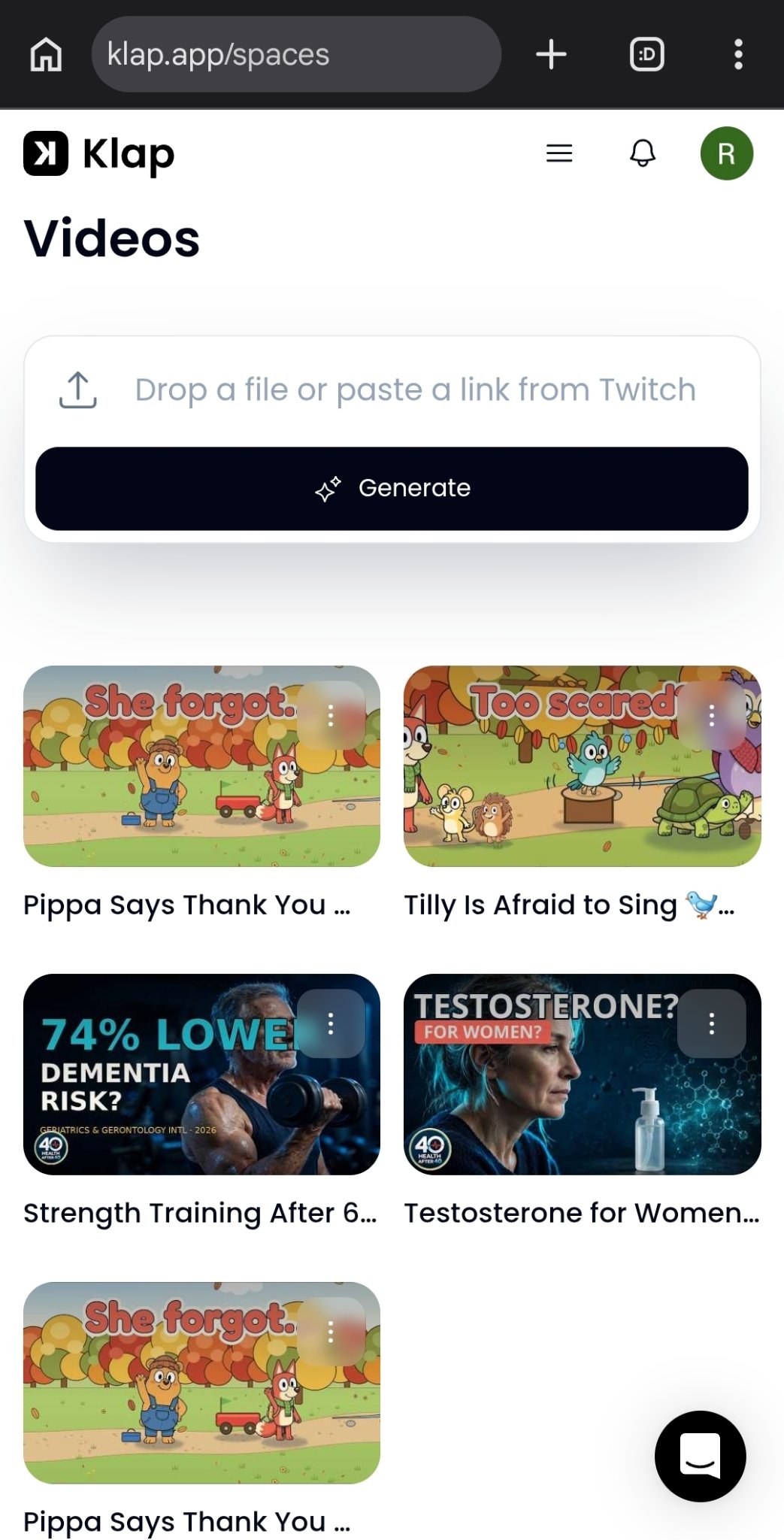
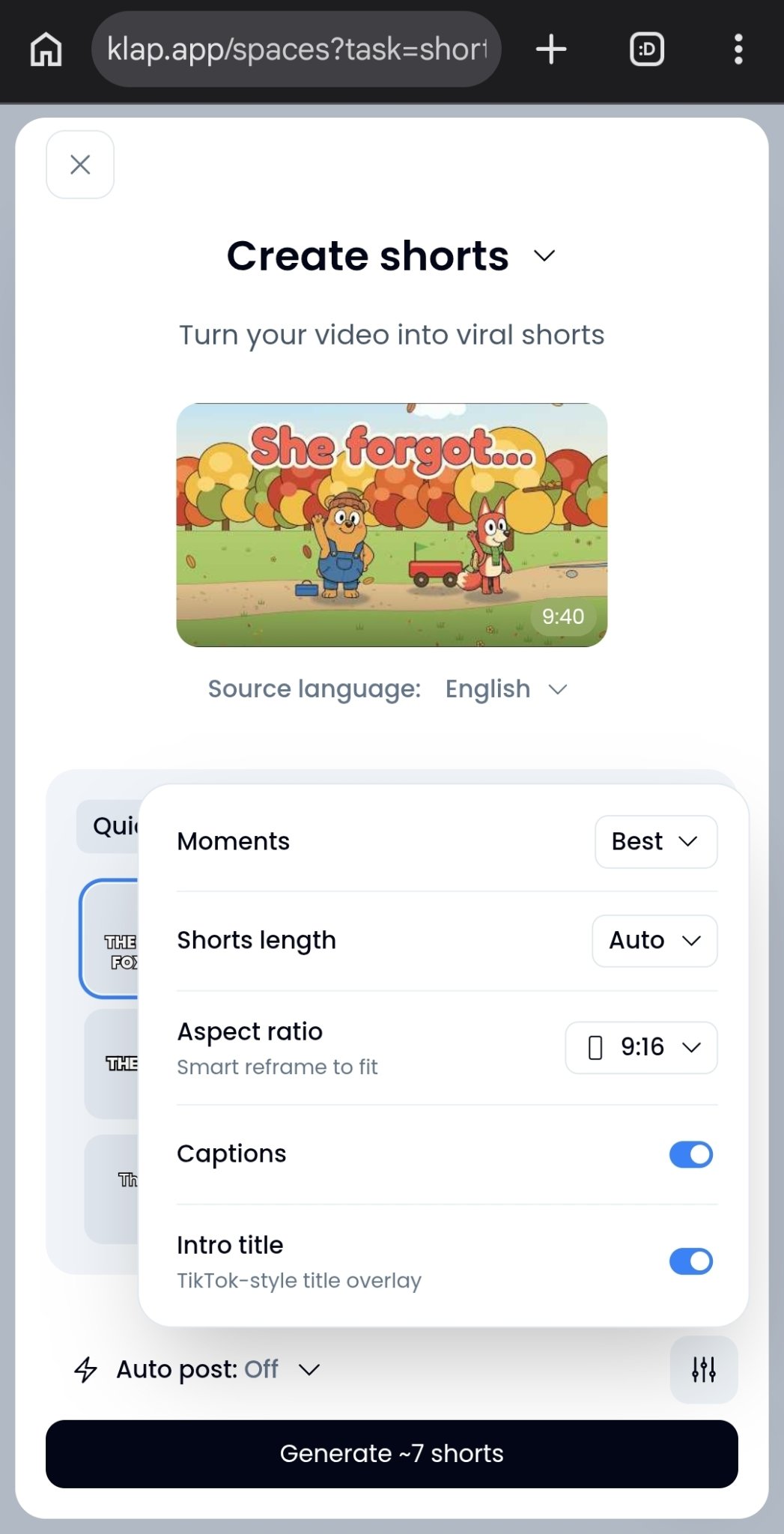
Our first hands-on test was simple and real: we pasted a YouTube link to one of our own videos — nine minutes and forty seconds long — into Klap, picked a caption style and a clip length, and hit generate. Klap turned it into about seven Shorts and emailed us when they were ready. That part worked exactly as advertised: paste a link, choose your settings, wait for the email.
Two honest notes from that first run. First, the product did what it promises at the top level — a long video in, several short clips out, with captions and a vertical reframe, no editing timeline involved. That is the whole pitch, and on a first pass it held up. Second, the clips are drafts until you say otherwise: preview them in Klap and edit anything that looks off before you post. That is the workflow we are testing — how close the first draft gets, and how fast the fixes are.
We also asked Klap's support a question during setup and got a responsive answer — worth noting, because a tool you use weekly is a tool you will eventually need help with. That first run, plus a second test on our own videos, is enough for a verdict: Klap does what it promises, and we've made it part of our own workflow. We're still testing more formats — talking-head, multi-speaker — and this page will be updated as we learn more.
We're now running a second test with our own videos — Pippa's Hollow and Health After 40 Science long-form, pasted in as YouTube links — and checking the clips Klap generates from material we know frame by frame. The settings below are from that run: source language English, best moments, 9:16 smart reframe, captions on.
Who it's for
Creators who already have long videos: YouTubers with a back catalog, podcasters, coaches, course creators, and marketers sitting on webinars and trainings. If your long video already exists, Klap's job is to squeeze more reach out of it. It also fits anyone who posts to Shorts, Reels, and TikTok regularly and is tired of opening an editing timeline for every clip.
Who should wait: If you don't make long-form video at all, Klap solves a problem you don't have: it needs a long video to start from. Otherwise, our recommendation is below.
How to try it yourself
Our verdict is in — Recommended — but the free video tells you more than any review can. Here's how to judge it yourself:
- Try the free video. Klap lets you turn one video into clips for free, with no credit card — you can preview and edit the clips before you pay anything. Downloading or posting them needs a paid plan, but the free run tells you more than any review can about whether the clip quality fits your content.
- Check the captions on your free run. Read every caption Klap generates on your test video before you post it — a quick read-through catches anything off.
- Write down what matters to you. Price? Clip quality? Caption accuracy? Knowing your top two priorities makes any review — ours or anyone's — far more useful.
- Check current pricing and terms yourself. Prices and intro offers change often — the official site is the only source we'd trust for today's numbers, and it's the same place we'll verify against.
- Bookmark this page. We'll keep updating it as we test more formats.
- Turns a long video into several Shorts with no editing timeline
- Free first video, no credit card — you can judge the clip quality before paying
- Captions, 9:16 reframe, virality scores, and scheduling in one place
- Support answered us promptly in our first test
- Clips are drafts until you edit them — preview before you post
- Downloading or posting clips needs a paid plan
- Check Klap's official site for current plans and pricing
We may earn an affiliate commission if you sign up through this link — it costs you nothing extra.
Try KlapUse code REVIEWZANDREFERRALS and you get 30% off your first payment — enter it at checkout on a monthly plan.
Watch our Klap tutorial
Our full step-by-step tutorial is live — paste a link, pick your style, captions and reframe, polish, and what it costs. Real Klap screens throughout, from our own account.
Our verdict
We may earn an affiliate commission if you sign up through this link — it costs you nothing extra.
Try KlapKlap pricing
| Plan | Monthly | Annual (per month, billed yearly) | Clips per month |
|---|---|---|---|
| Basic | $29/mo | $14.50/mo ($174/yr) | 100 |
| Pro | $79/mo | $39.50/mo ($474/yr) | 300 |
| Pro+ | $189/mo | $94.50/mo ($1,134/yr) | 1,000 |
Every plan includes AI clipping with a virality score, active-speaker reframing, and animated captions. Plans count clips, not source minutes — a source video can run up to 3 hours, and yearly plans get the whole year's clips at once. Paid exports carry no Klap branding. Free: turn 1 video into clips with no credit card; downloading or posting clips needs a paid plan.
Refund policy (from Klap's pricing page): on a monthly plan, ask for a refund any time in your first month; on a yearly plan, a full refund in your first month. Cancel any time on your billing page.
Prices verified November 2026 from Klap's official pricing page (klap.app/pricing — prices last updated November 4, 2026). Promotional prices usually rise at renewal — check the live pricing page before you buy.
Frequently asked questions
What does Klap do?
Klap is an AI video clipping tool that turns a long video — pasted as a YouTube link or uploaded — into vertical Shorts, Reels, and TikToks, with captions, reframing, and scheduling. We're currently testing it hands-on.
Is Klap worth it?
Yes — for creators who already have long videos. We tested it on our own videos and recommend it. See our verdict above.
Who is Klap for?
Creators with long videos — YouTubers, podcasters, coaches, and marketers — who want short-form clips without editing every one by hand.
How does your Klap link work?
It's our affiliate referral link. If you sign up through it, we may earn a commission at no extra cost to you.
Is there a Klap discount?
Our code REVIEWZANDREFERRALS gives 30% off your first payment. Enter it at checkout on a monthly plan, per Klap's own checkout rules.
Related reviews
Last updated: November 2026. Verdict: Recommended, based on hands-on testing with our own videos. We'll keep updating this review as we test more formats. Earnings disclaimer.